Four steps, about twenty minutes

From nothing to your first call, without a setup call.

Most CRMs in this business hand you an empty database and a training video. This one arrives with your leads already in it and tells you who to ring first. Here is exactly what happens, in order.

01

Bring your leads with you.

Point it at a spreadsheet, a CSV from your list provider, or an existing workspace, and it maps the columns for you. Nothing is typed twice, and where your old system kept call history, it comes across as call history, not as notes.

You can import from selected CRMs, so your team can keep working where they are while you work here.
02

Open on what needs you.

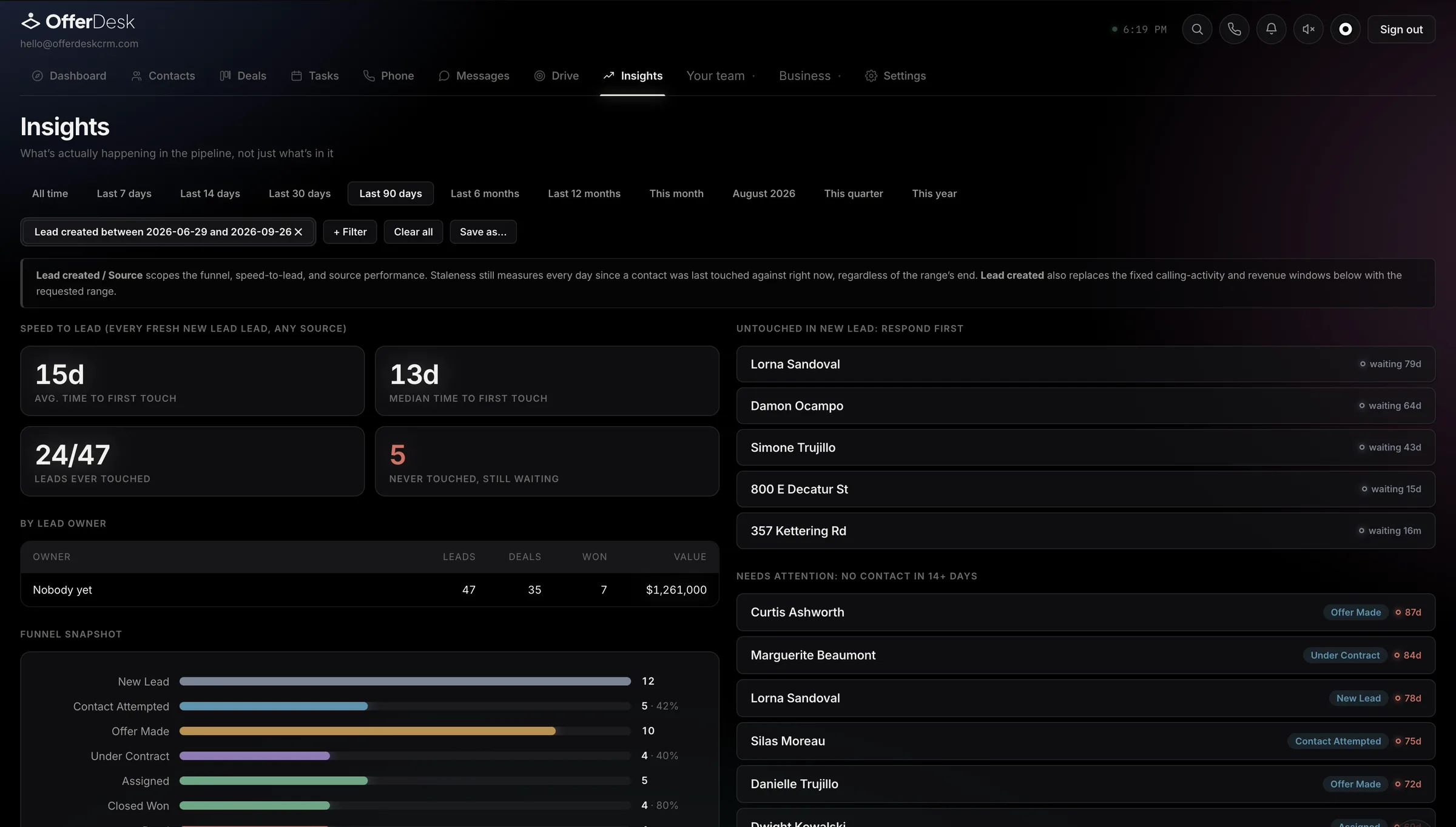
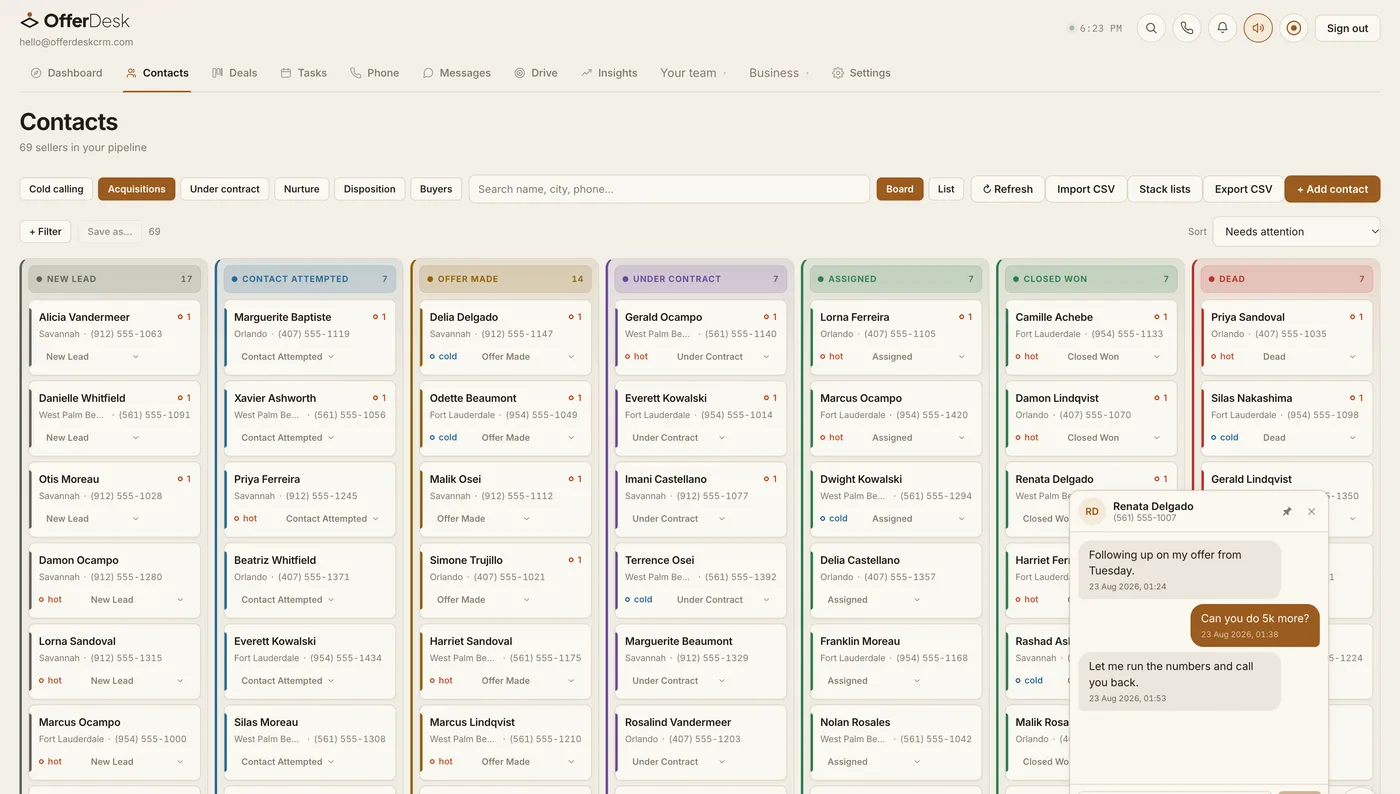
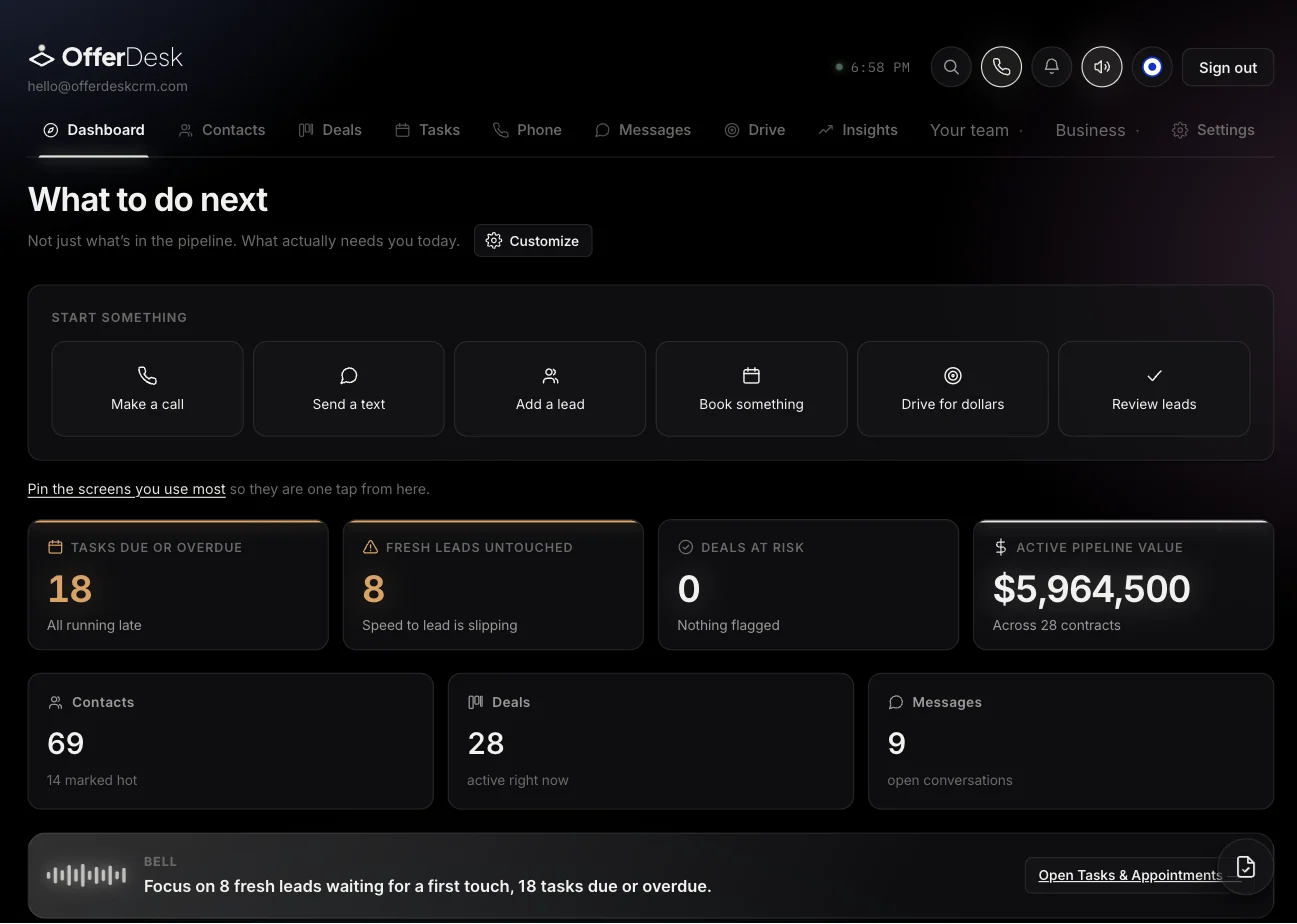
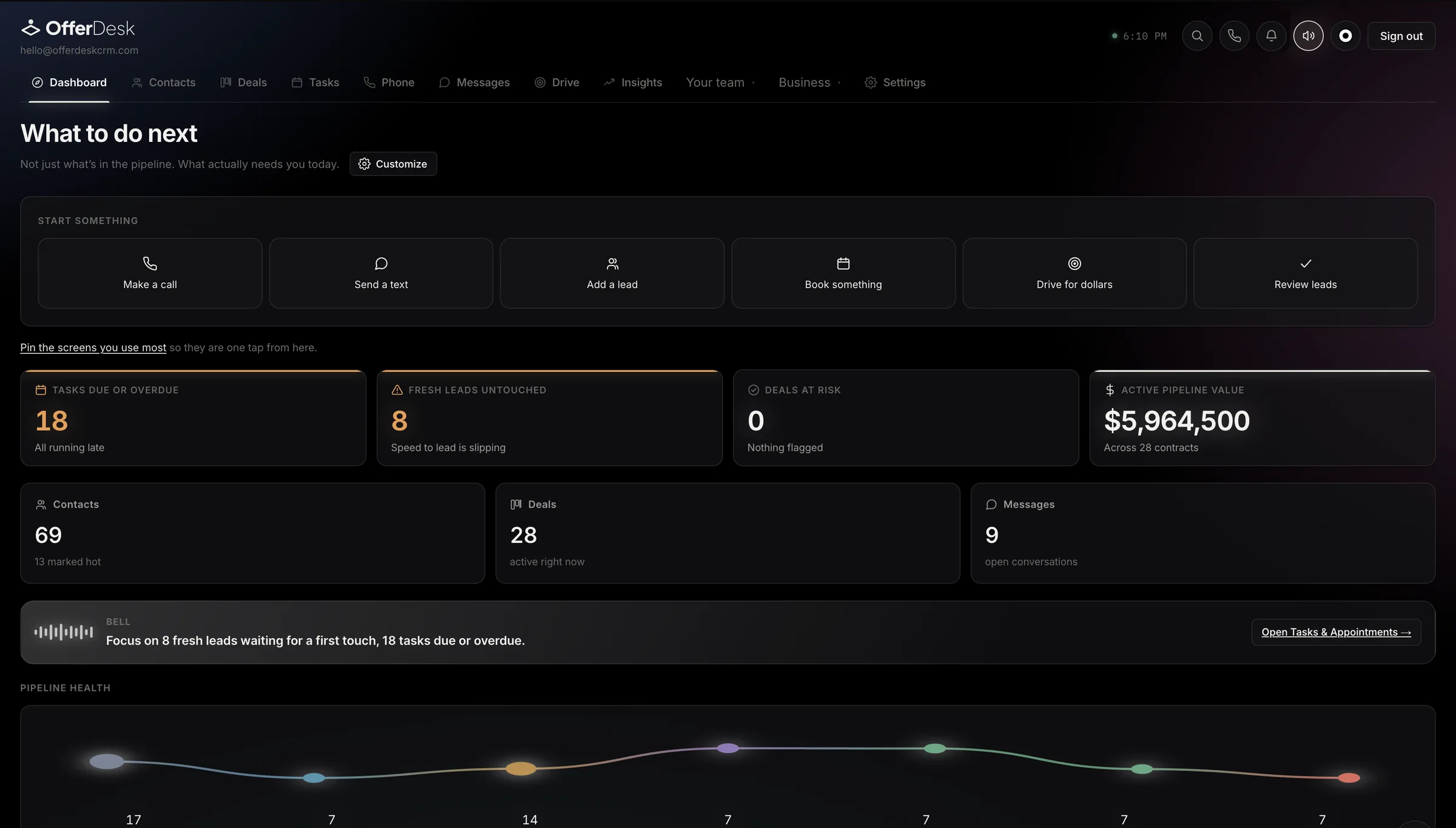
Not a pipeline. A pipeline shows you what you have, which you already know. The first screen shows what is decaying: never touched and for how long, spoken to once and dropped, and anything with no next step booked.

On our own desk this was the difference between an 83 day first touch and a same day one.

03

Call. The write up happens on its own.

Dial from the lead. When you hang up, the call is transcribed, the notes are written in the shape an acquisitions note should take, and the next step is already suggested from what was actually said, ready to add with one tap.

The step everybody skips is the one that compounds. So it is not a step any more.

04

Move it to contract.

Comparables and the offer maths sit on the lead, not in a separate spreadsheet. Send the agreement for signature from the same screen, and the stage moves itself when it comes back signed.

One colour means one thing throughout. If something is amber, somebody is waiting on you.

It is the whole thing on a phone, too.

Most of this business happens away from a desk, so none of it is a cut-down companion app. The same pipeline, the same conversations, the same numbers, laid out for a thumb rather than shrunk down for one.

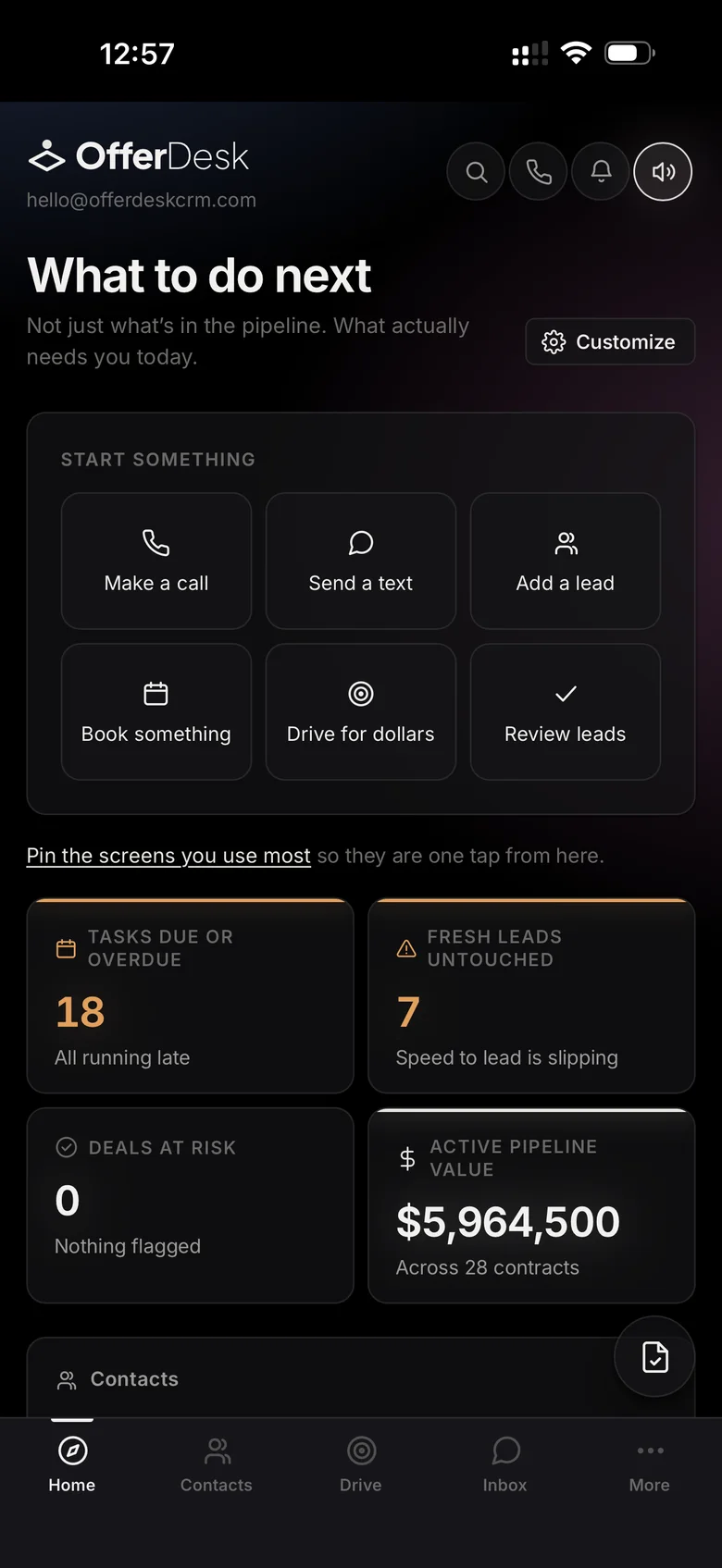
The OfferDesk dashboard on a phone, showing tasks due, untouched leads and pipeline value.
Opens on what needs you. Not on how many leads you have. You already know how many leads you have.
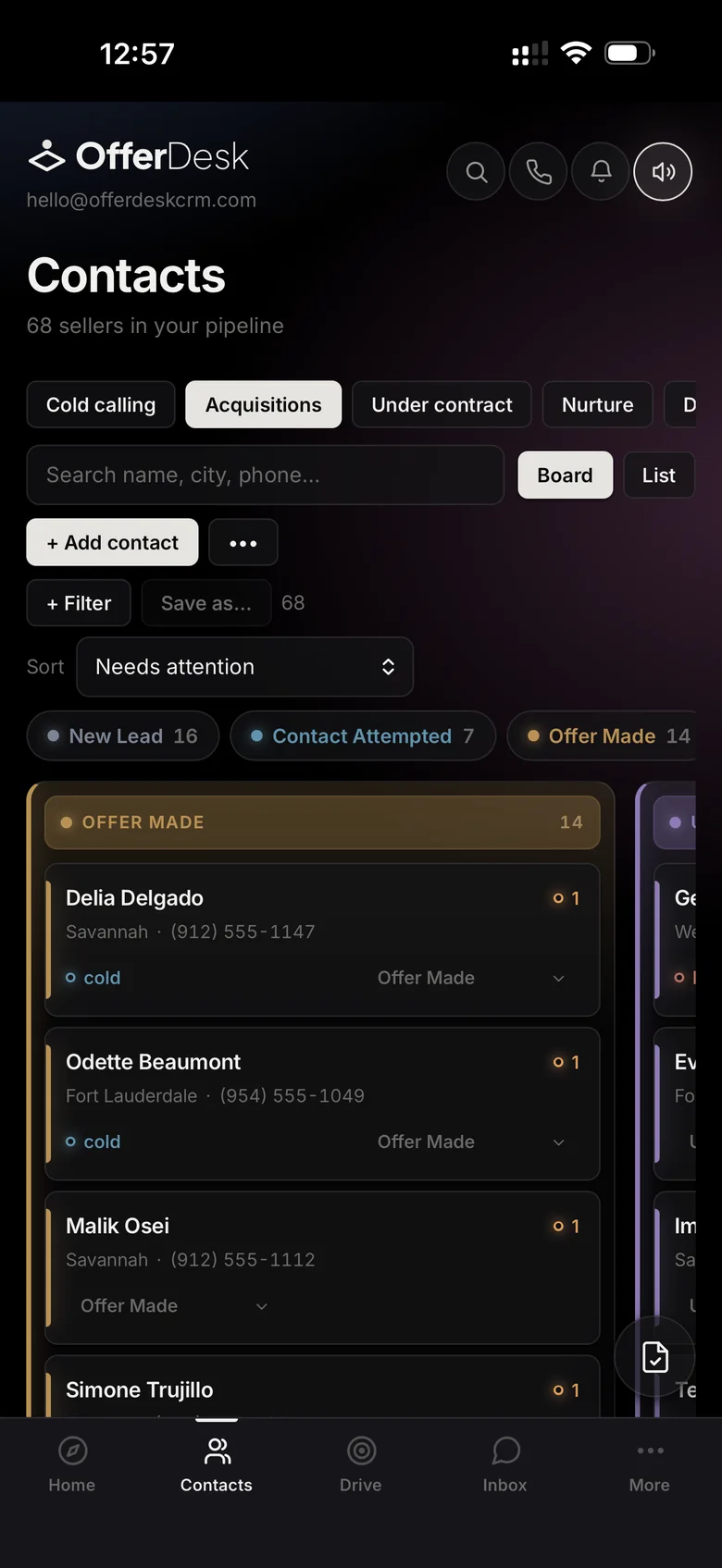
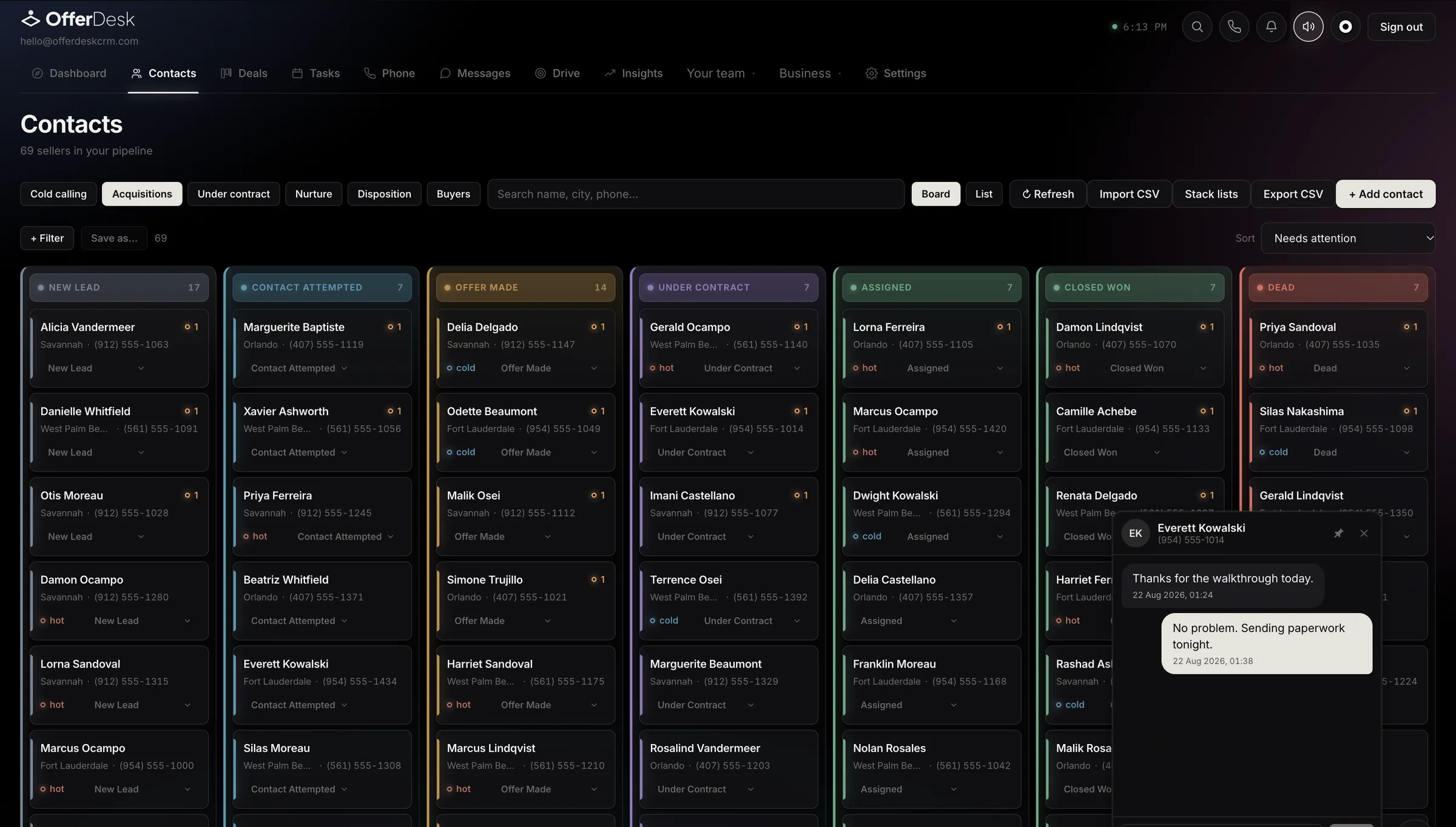
The OfferDesk pipeline board on a phone, one stage at a time.
The board, one stage at a time. Swipe between stages. Move a lead without a mouse, without pinching, without a desktop.
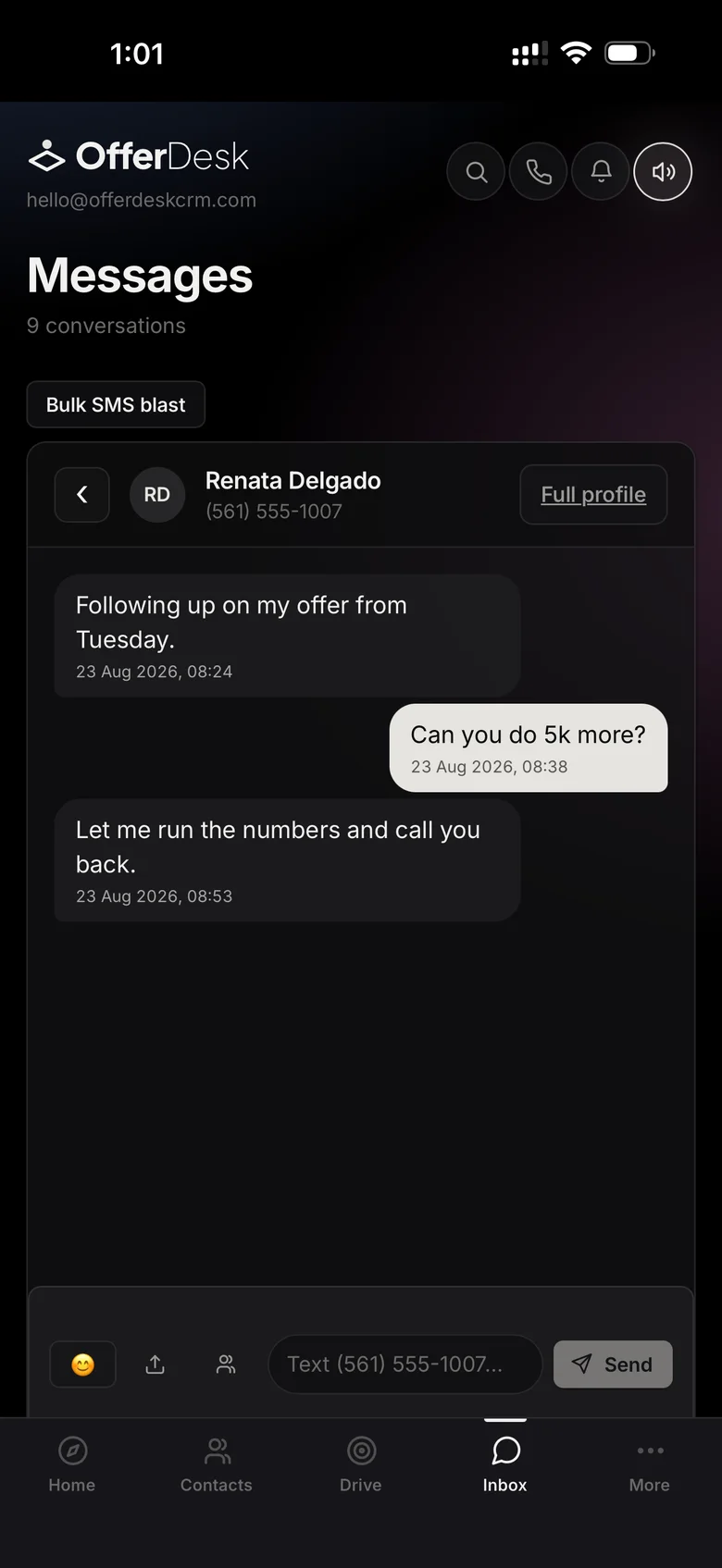
A seller conversation in the OfferDesk inbox on a phone.
Answer the seller from the driveway. The reply that decides a deal usually arrives while you are nowhere near a laptop.
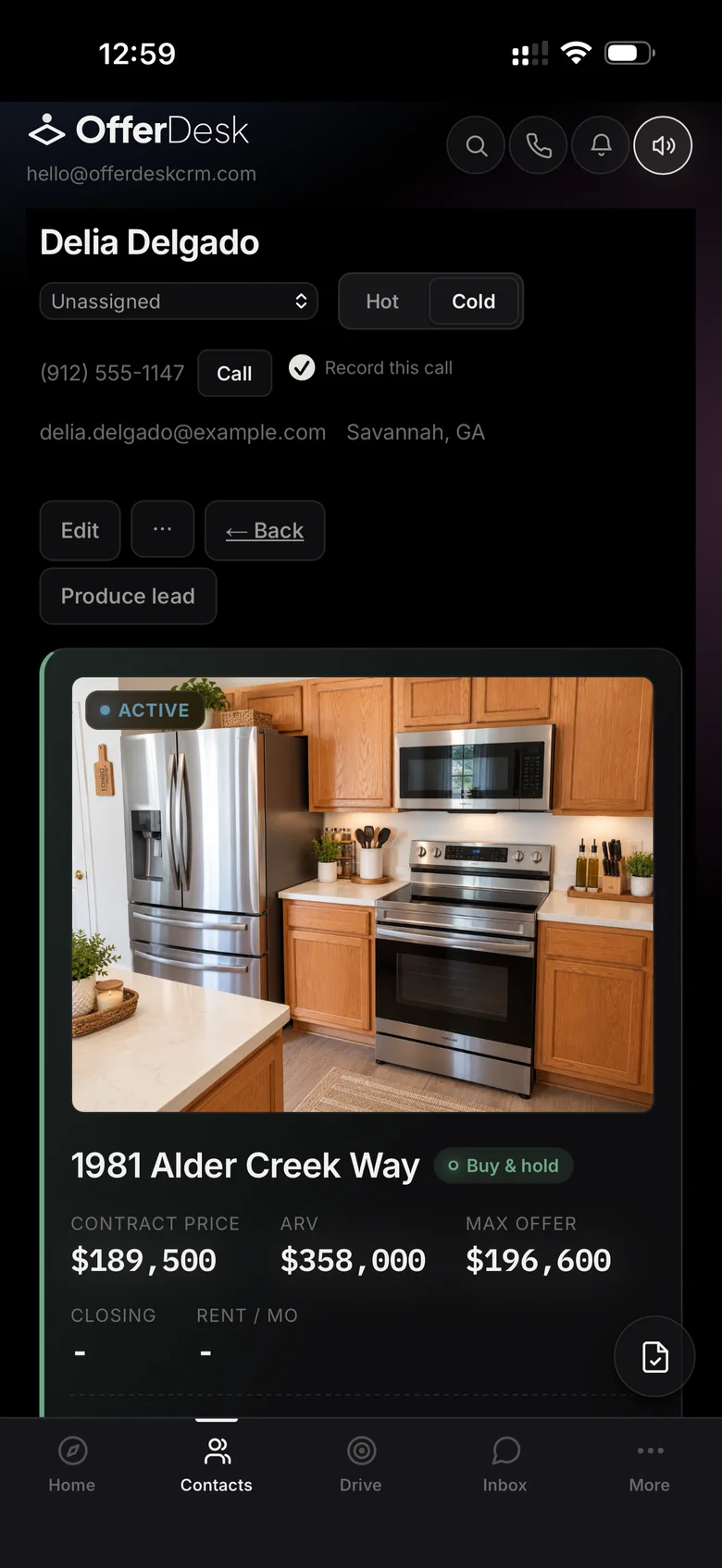
A deal card on a phone: the property photo with contract price, ARV and max offer.
The deal in your pocket. Contract price, ARV and max offer, on the house you are standing in front of.
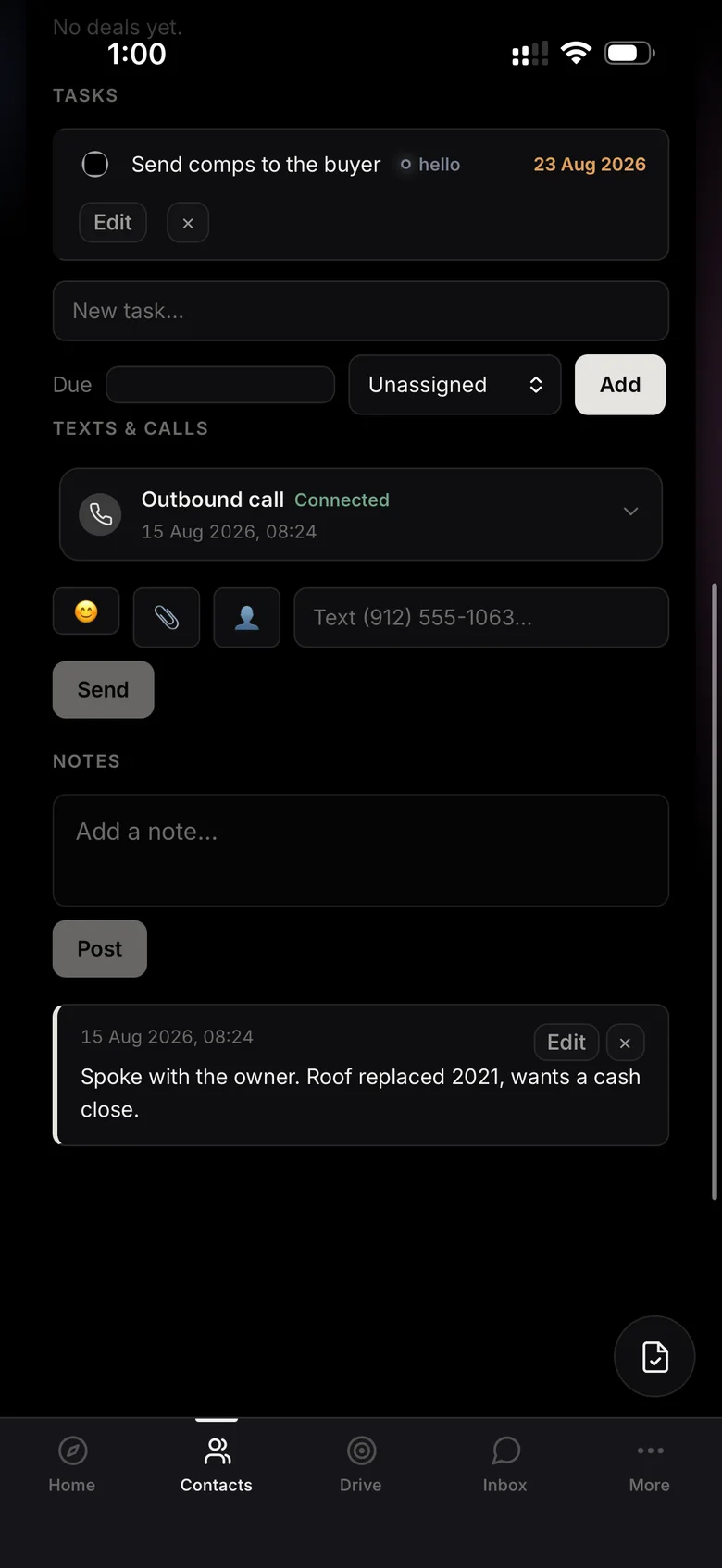
A lead's tasks, call log and notes on a phone.
Notes where the call happened. Every call, task and note on the lead's timeline, written up while it is fresh.
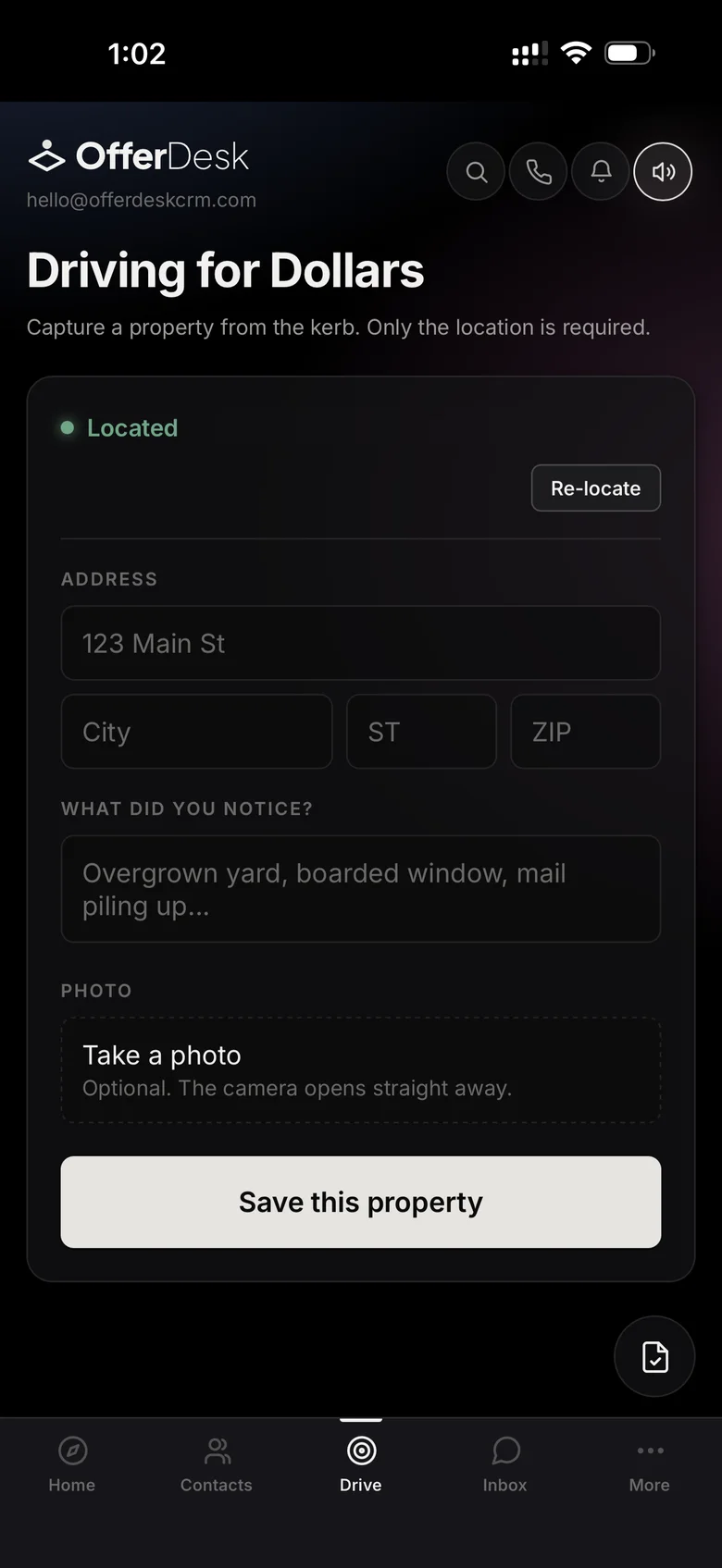
Driving for Dollars on a phone: the location found, an address form and a button to save the property.
Driving for Dollars. Spot the house, save it from the curb. The location fills itself in.
The OfferDesk dashboard on a foldable phone opened flat, in the full desktop layout.

Open a foldable and it becomes the desk. Opened flat, OfferDesk lays out like the desktop: every number, every stage, the whole board. Not a phone screen stretched wide.

Screens from the beta build. Install it to the home screen and it opens without a browser bar.

That is the whole setup.

No implementation fee, no onboarding call you have to book three weeks out, no consultant. If it takes longer than an afternoon to be useful, it is not built right.